
For most lawyers, AI is a detour. You stop what you're doing, open a separate tool, write a prompt, copy the answer back, and pick up where you left off. It’s useful, but this makes AI an extra step, not part of how legal work happens.
That changes today.
The next generation of Smokeball’s Archie AI brings a fundamental shift to how legal AI works in your firm. Archie is no longer a place you go, it's your AI matter assistant that's built into the way you work and the tools you use - including Microsoft Word and Outlook - with intelligence powered by industry-leading AI models and agentic reasoning to deliver sharper insights, faster actions, and zero guesswork.
This represents a shift in what Archie is: evolving from a tool you go to, to a legal AI partner that works alongside you in every matter. More capable, and more connected to the tools your firm already uses.
What’s new with Archie?
Intelligence you can act on
Archie now delivers advanced intelligence with agentic reasoning
Archie now applies agentic reasoning to every interaction. It dives deeper into your matter context, evaluates its own response, and keeps refining until the answer is complete, well-supported, and verifiable. When you’re ready to act, Archie can turn insights into action by creating tasks, memos, and calendar events with your confirmation. Archie also recognises legal questions and retrieves relevant legal research from LawY, which is then integrated directly into responses.
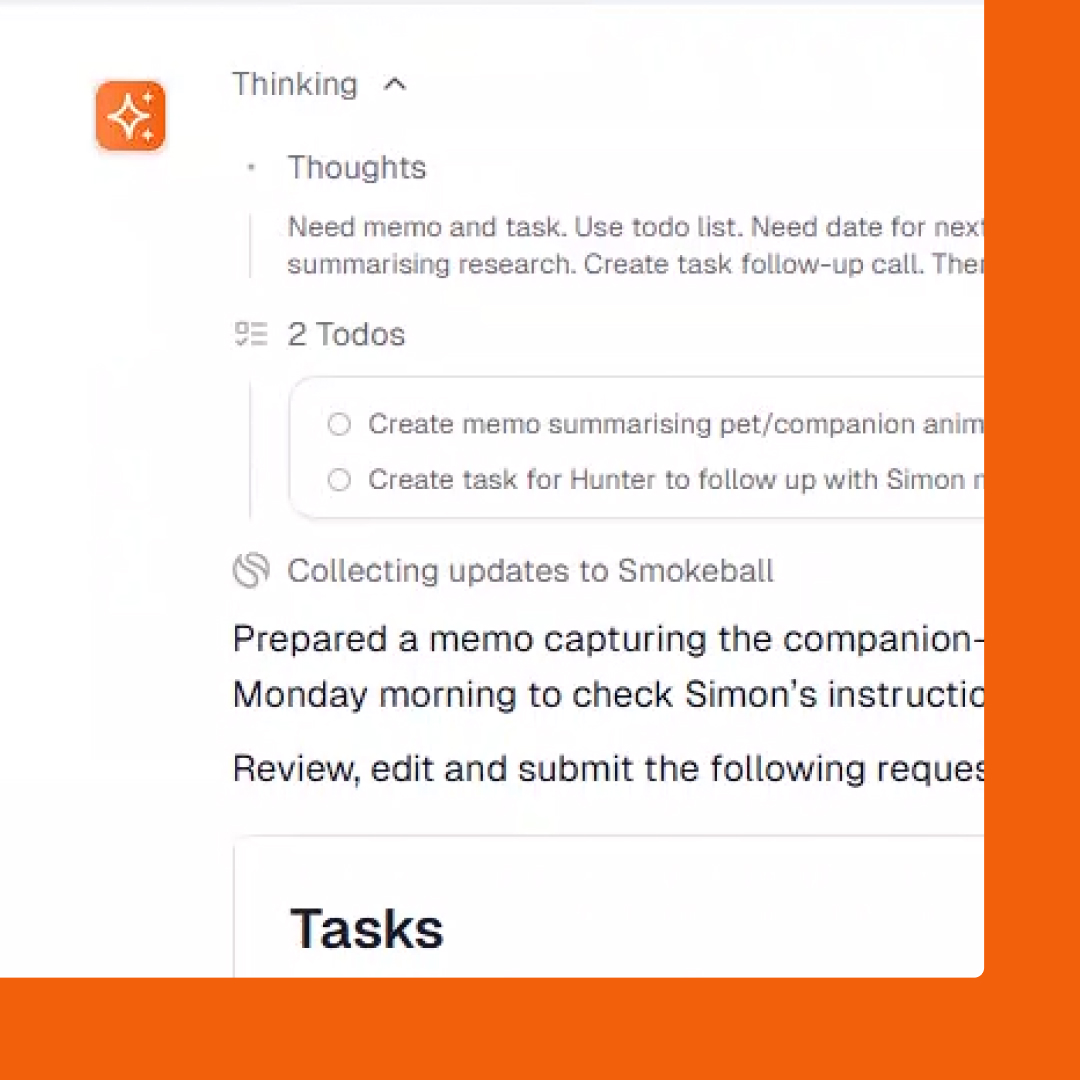
What this means for your firm: More accurate and thorough answers, fewer rounds of rework, and output you can act on with confidence.
Proactive suggestions that anticipate your next step
Archie analyses your matter in real time and surfaces relevant next steps, suggesting actions and tasks before you think of them. It draws on your activity, documents, emails, tasks and invoices to suggest actions based on where your matter actually stands. Each suggestion shows the recommended action, why Archie is suggesting it, and which files it will use if you choose to execute it. Simply click once to run it.
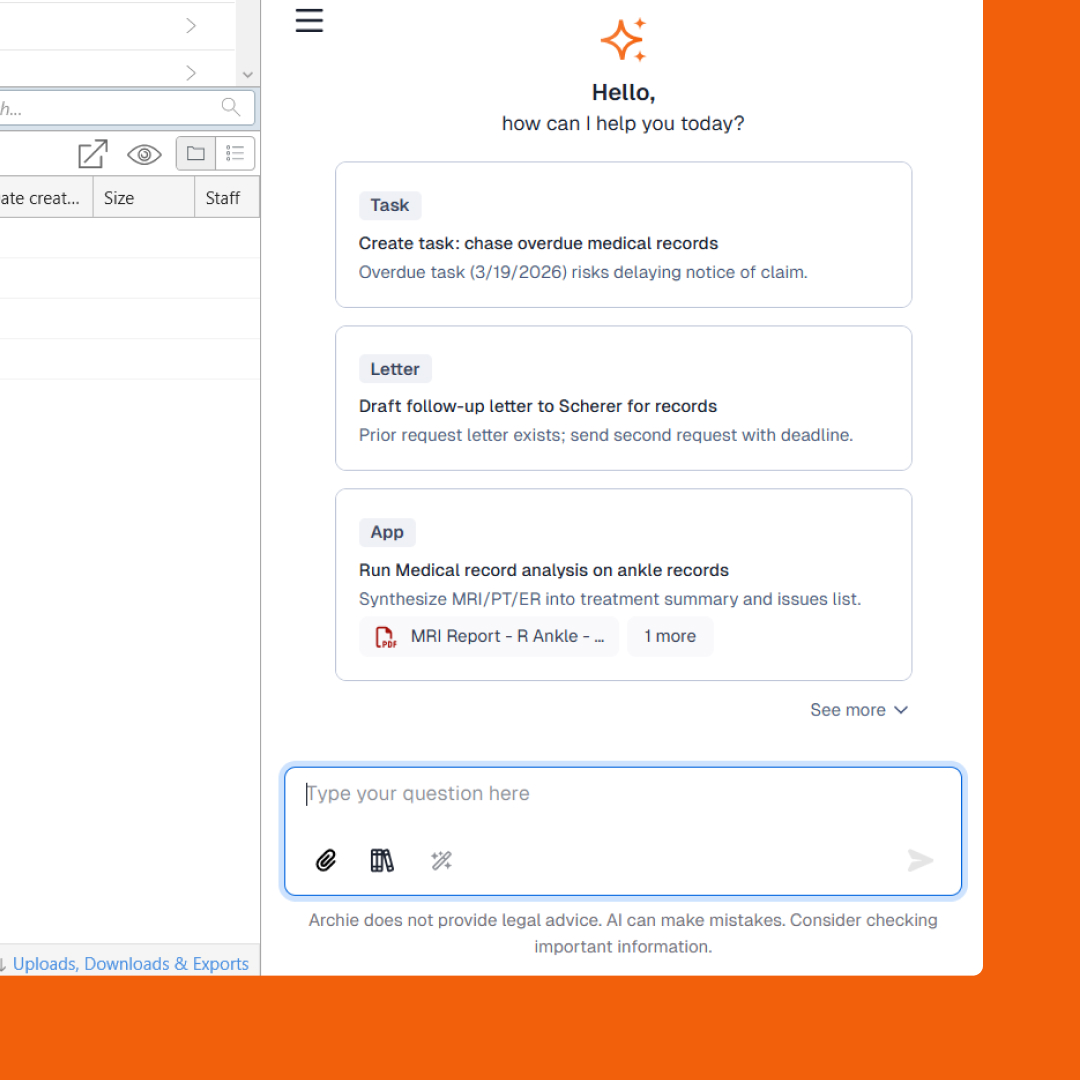
Archie can now suggests next steps based on where you're at in your matter.
What this means for your firm: Clear actions ready to execute, without any prompt writing. Lawyers who aren't sure what to ask Archie get an immediate, contextually relevant starting point the moment they open a matter.
Seamlessly built into your workflow
Powerful AI drafting built into Microsoft Word
We have brought Archie into Word so you can generate content, refine drafts and review clauses, all with your matter’s context from Smokeball. Archie operates within the structure of legal documents, proposing precise edits rather than whole rewrites, so your document structure and formatting stay intact. For structured document reviews, build preconfigured playbooks to flag issues by severity and generate suggested updates against your firm's standards. When you open a document, Archie automatically analyses it and surfaces suggested actions to jumpstart your work. It refines your writing with one-click improvements and built-in translations when you need it.
What this means for your firm: Faster, more accurate drafting without the copy-paste tax of moving between tools.
Visit our support article for steps on installing the Archie Word add-in.
Get more done inside your inbox, faster
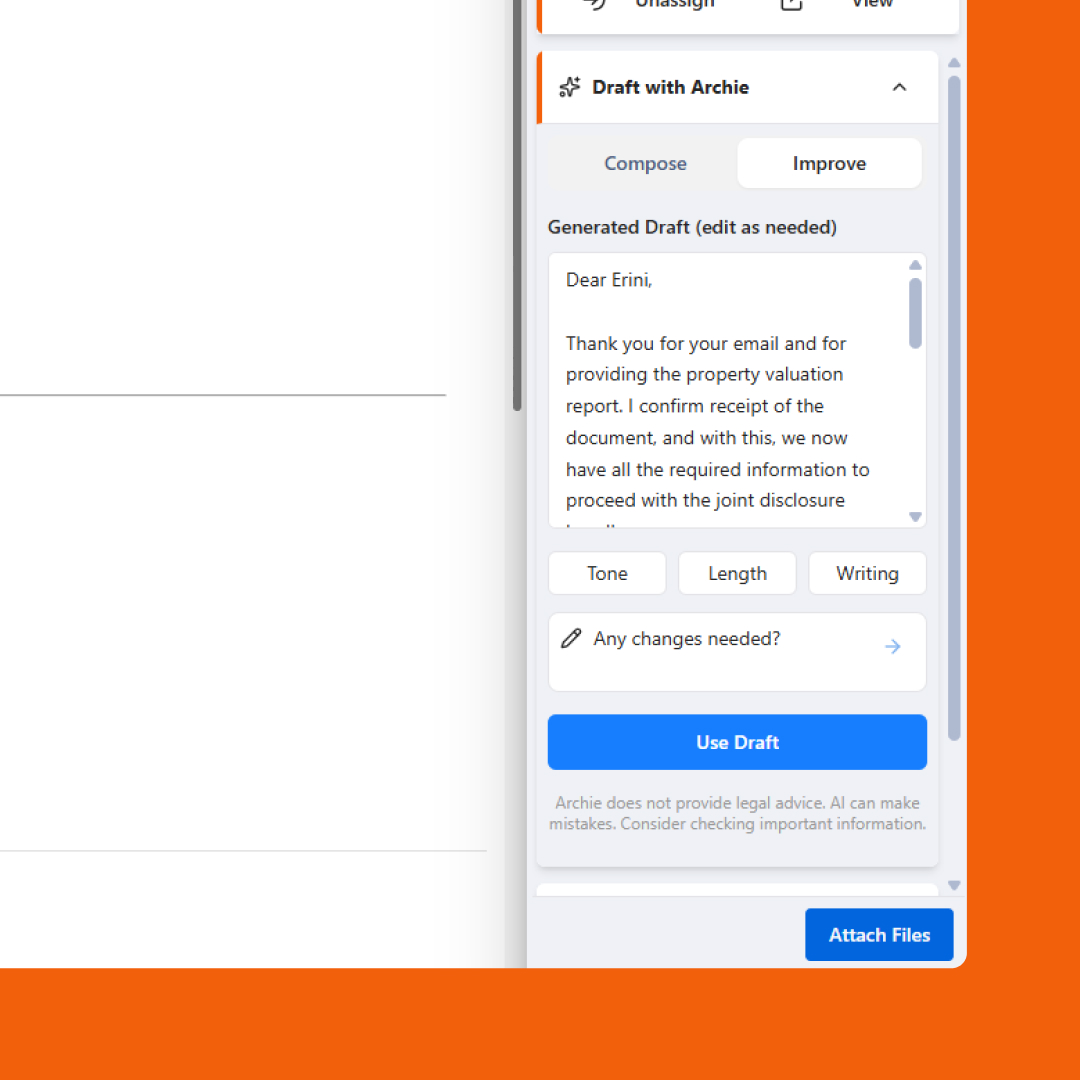
Archie now lives inside Outlook as part of our new add-in. Summarise lengthy threads, pick from suggested rapid replies, or generate a full draft grounded in the matter's key dates, tasks, and documents in seconds. It also allows you to adjust tone, length, and style before sending.

What this means for your firm: matter-aware emails drafted inside Outlook, ready to review and send without switching tools.
Archie in Outlook is available exclusively through our new Outlook add-in. Head to our support article to get started.
Speak to Archie instead of typing
Speaking will always feel like a faster, more natural way to communicate and now you can converse with Archie. With voice dictation, Archie transcribes your spoken prompt into text in the chat input field. You can then review and edit the prompt before sending, either by speaking again or by switching to typing to finish it off. Voice dictation activates only when you choose - there is no background listening or passive recording.
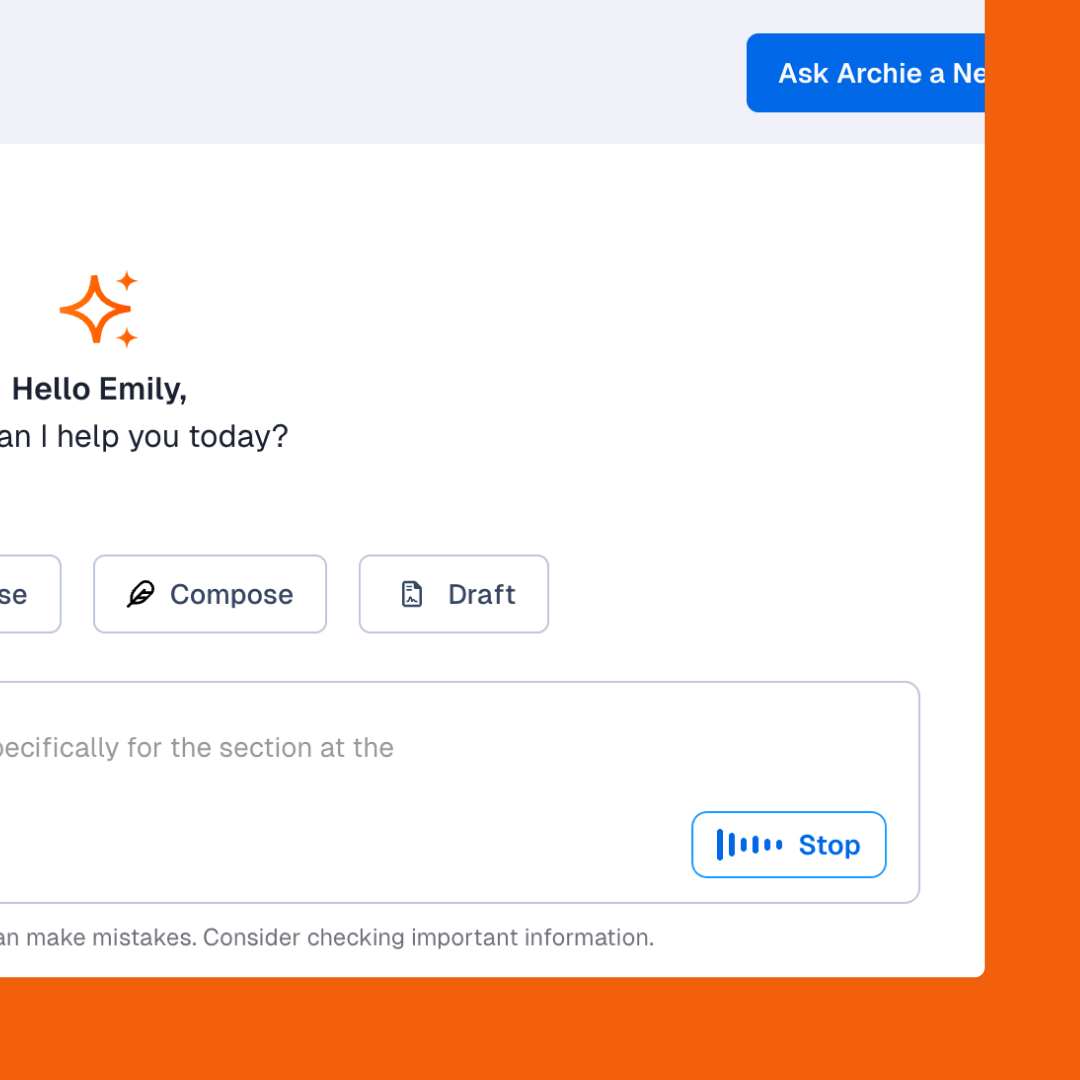
What this means for your firm: Capture your thinking in the moment, e.g., after a client call, while reviewing documents, or anywhere typing slows you down
Results you can trust
Results that meet your professional standard
Every Archie response is grounded in real sources, cited for verification and flagged where ambiguity exists. With tone profiles (coming soon), Archie ensures every draft reflects your firm's communication style for each audience. Get accurate content and professional standards from the first draft.
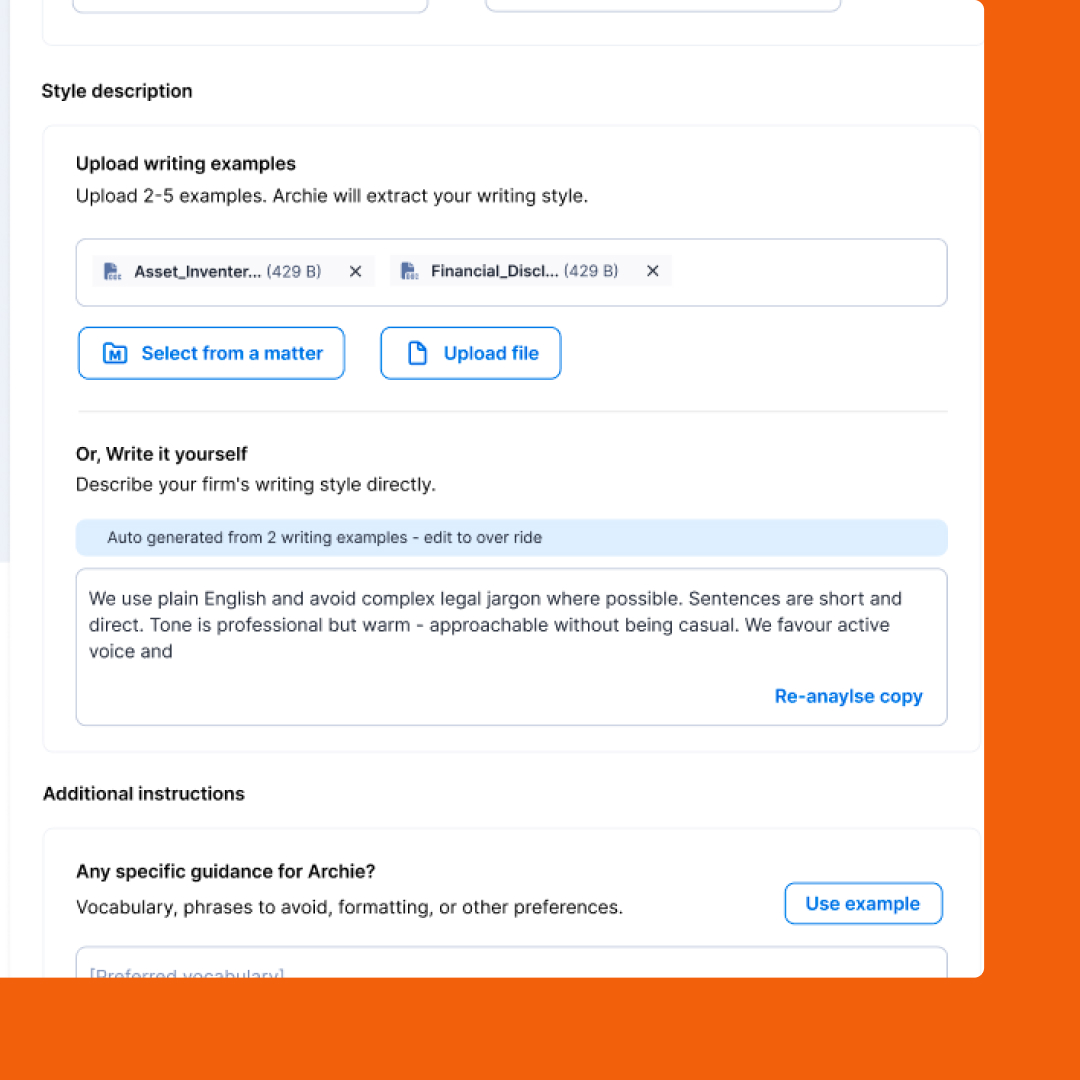
What this means for your firm: Results you can act on with confidence, with less time spent verifying, rewriting or second-guessing them.
Security that never compromises
Archie operates within your firm's secure Smokeball environment across every workflow touchpoint, including Word and Outlook. Your data is never shared and never used to train AI. We know the importance of keeping your client’s information secure and your ethical obligations are maintained at every step.
Who does this new version of Archie support?
Archie is now built to better support the realities of how lawyers work: inside documents, emails, and matters. It eliminates context-switching, reduces repetitive tasks, and delivers trusted outputs that meet professional standards for accuracy, tone, and reliability. It's especially valuable for:
- Lawyers who draft and review documents in Word as a core part of their day
- Practitioners who live in Outlook and want matter-aware replies without context-switching
- Firms that have experienced incomplete AI responses and need verifiable, cited output they can rely on
- Users who are interested in AI but haven't found a natural way to work it into their day
- Firms that care deeply about how their communication sounds across every audience
How to get started with Archie’s new features
All of these new features are available for firms to use in Archie now. If you already have Archie as part of your Smokeball subscription, they’re available at no extra cost, no add-ons. If you don’t have Archie yet, reach out to your Account Manager to learn more.
Not a Smokeball user yet? See why Smart Lawyers use Smokeball.
FAQs
What is "agentic reasoning" in plain English?
It means Archie works through your question step-by-step by going into your documents, emails, and timelines to check whether it has enough information, then continuing until the answer is complete and well-supported. It also cross-checks against real sources and flags anything ambiguous, so what you get back is cited and ready to use.
Do I need to leave Smokeball to use Archie in Word or Outlook?
Archie is a sidebar inside Microsoft Word and is an add-on in the new version of Outlook. When you open a document or email, Archie automatically connects to the associated matter from Smokeball.
Will Archie rewrite my precedents?
No. Archie for Word operates within the structure of legal documents, proposing targeted edits rather than whole rewrites. Every suggested change is presented for review before it's applied.
Is my data used to train AI?
No. Archie operates within your firm's secure Smokeball environment. Your data is never shared or used to train AI.
How do tone profiles work?
You define writing rules by audience, such as client, third-parties or your internal team. Archie applies them automatically to every draft, so you set it once and every interaction reflects how your firm communicates. Tone profiles will be coming soon and will be available to all Archie users.
Can Archie take action, not just answer?
Yes. Archie can create tasks, memos, and calendar events directly from the conversation. It always gets your confirmation before anything is saved.
Is there an extra cost?
If you have Archie enabled in your firm, all of these releases are included as part of your existing Smokeball subscription. If not, talk to your Account Manager or book a demo to learn more.